
Digital Menu Boards for Restaurants: The Complete QSR Operator Playbook
Hardware, POS integration, dayparting, and multi-location rollouts for QSR digital menu boards. The complete operator playbook with real ROI benchmarks.
March 18, 2026
8 min read

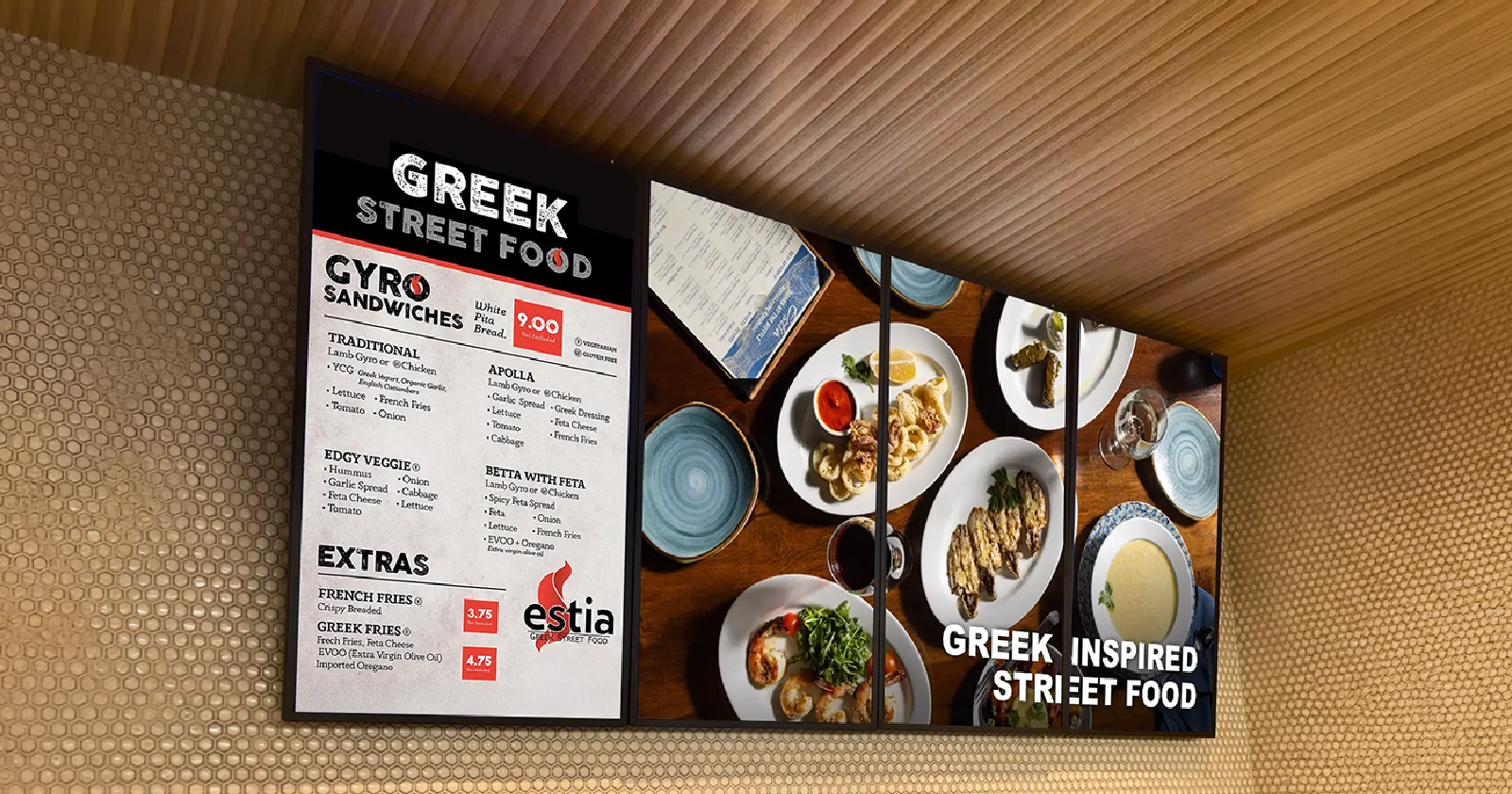
Digital menu boards have moved from nice-to-have to table stakes for competitive QSR and fast-casual operators. Done right, they lift average ticket size, cut labor costs, and let your menu work harder without adding headcount. Done wrong, they become expensive TVs showing outdated PDFs.
Skoop runs natively on Samsung Tizen, LG webOS, and other SOC platforms. That means you are not bolting on extra hardware or managing a separate device per screen. For new builds or screen replacements, SOC is almost always the right call.
Amazon Signage Stick
If you already have consumer TVs installed — which is common in smaller independents and franchises inheriting existing equipment — a signage stick is the most cost-effective path. Skoop is the official software partner for Amazon's digital signage stick, which means you get a purpose-built, managed signage experience on hardware that costs a fraction of a commercial display.
The Amazon signage stick is plug-and-play. Plug it in, connect to WiFi, and your screens are under centralized cloud management within minutes. For operators who need to move fast or are budget-constrained on hardware, this is a serious option.
Raspberry Pi and Similar Media Players
Some platforms like Yodeck default to Raspberry Pi hardware. It works, and Yodeck is genuinely price-competitive — their first screen is free. But managing Pi devices across multiple locations adds complexity. They can overheat, they require physical access for certain resets, and they are one more piece of hardware to track and replace.
For most QSR operators running three or more locations, the operational simplicity of SOC or a managed signage stick outweighs the marginal cost savings of Pi-based setups.
POS Integration: Square, Lightspeed, and Beyond
The biggest operational unlock for digital menu boards is live POS integration. When your menu board pulls directly from your POS, price changes propagate automatically, sold-out items disappear in real time, and you eliminate the risk of a customer ordering something you no longer have.
Square Integration
Square is the dominant POS for independent QSR, food trucks, and fast-casual concepts. A proper integration means your Square catalog — item names, prices, categories, modifiers — drives the menu board layout. Change a price in Square, and the board updates. Add a seasonal item, and it appears automatically in the right category.
This is not just a convenience feature. It is a compliance feature. In states and cities with mandatory calorie posting requirements, having a single source of truth that syncs to your boards reduces the risk of outdated information triggering a violation.
Lightspeed Integration
Lightspeed Restaurant is common in full-service and upscale fast-casual concepts that need more robust table management and kitchen workflows. The same principle applies — your digital menu boards should reflect your live Lightspeed catalog, not a static export that someone updates manually every few weeks.
When evaluating any digital signage platform for restaurant use, ask specifically how the POS sync works. Is it real-time or batch? Does it require manual triggers or is it automatic? Does a price change in POS immediately reflect on-screen or does someone need to approve a publish step?
What to Look for in Any POS Integration
Dayparting: The Feature Most Operators Underuse
Dayparting means scheduling different menu content for different times of day. Breakfast boards at 7am, lunch at 11am, happy hour at 3pm, dinner at 5pm — all automated, all consistent across every location, with zero manual intervention each day.
The revenue impact of good dayparting is real. Promoting a $1.50 add-on coffee during the morning daypart to customers who are already ordering breakfast is pure margin. Featuring your highest-margin dinner entrees during the dinner window instead of showing your full 80-item menu reduces decision fatigue and guides customers toward what you want to sell.
Skoop's content management platform handles dayparting with simple scheduling rules. Set your windows once, assign content, and the system handles the rest — including automatic adjustments for holidays or special events when you need to override the default schedule.
Beyond dayparting by time, smart operators also build weather-triggered content rules. Hot day? Feature cold drinks and frozen items. Cold snap? Push hot soups and comfort items. This kind of dynamic content used to require custom development costing tens of thousands of dollars. Today, platforms with built-in AI and scheduling tools make it accessible to any operator.
Skoop AI Studio: Menu Boards Without the Agency Bill
One of the most common frustrations operators share is the design bottleneck. You know you want a compelling LTO board for your new sandwich. You know it should have motion graphics, look professional, and match your brand. But you do not have an in-house designer, and paying an agency $500 to $2,000 per creative is not sustainable when promotions change every two weeks.
Skoop AI Studio solves this directly. It is the only digital signage platform with a fully integrated generative AI studio. Describe what you want — 'animated menu board for a new spicy chicken sandwich, bold red and orange colors, show price and calories, include a limited-time badge' — and the AI generates a complete, publish-ready experience.
What used to cost $10,000 in custom creative development now takes one prompt. For QSR operators running frequent promotions, seasonal LTOs, or regional price variations, this is a genuine competitive advantage — not a feature demo talking point.
Multi-Location Rollouts: What Actually Goes Wrong
Rolling out digital menu boards across five, fifteen, or fifty locations is where most operators hit unexpected friction. The hardware procurement goes fine. The software setup at location one looks great. Then reality hits.
Common failure points in multi-location rollouts
The solution is centralized screen management with real-time monitoring. Every screen in every location should be visible from a single dashboard. You should be able to see uptime status, what content is currently playing, when it last synced, and push emergency updates — a price correction, a product recall notice, a sold-out item — from one place instantly.
Skoop's screen management gives operators exactly this. Corporate controls the master content library and update permissions. Individual locations can be granted limited customization rights — swapping a local promotional image, for example — without being able to change prices or break brand compliance.
Compliance, Calorie Posting, and Menu Accuracy
For chains with 20 or more locations, FDA calorie posting requirements are not optional. Your digital menu boards are covered under the same rules as printed menus. Displaying inaccurate calorie counts — even accidentally because someone forgot to update a board — creates real liability.
Digital menu boards connected to a live POS or menu management system are actually a compliance asset, not a compliance risk. When there is one system of record for menu data and the boards pull from it automatically, the risk of human error in manual updates drops dramatically.
Ask any platform you evaluate how they handle compliance-sensitive content updates. Is there a review and approval workflow before changes go live? Can you require a confirmation step for calorie-related edits? Can you generate an audit log showing what was displayed on which screen and when?
Pricing Reality: What Digital Menu Boards Actually Cost
The total cost of a digital menu board deployment has three components: hardware, software, and installation. Operators often focus on software price and underestimate the others — or vice versa.
Hardware ranges from roughly $150 to $200 for a signage stick plus consumer TV, to $800 to $2,500 per screen for commercial SOC displays. Commercial displays are built for 16 to 18 hours of daily operation — consumer TVs are not, and burn-in and brightness degradation become real problems within 12 to 18 months of continuous use.
Software pricing varies widely. Yodeck starts free for the first screen. ScreenCloud runs $20 to $40 per screen per month at small scale. Skoop's pricing is designed for operators, not enterprise IT departments — see current pricing here. The honest advice: do not choose software based on per-screen price alone.
Factor in what features you actually need, whether POS integration is included or costs extra, and what support looks like when something breaks at 11am on a Saturday.
Installation is often the surprise cost. Running HDMI and power to commercial mounts, ensuring proper ventilation for screens that run all day, and managing cable routing in a commercial kitchen environment — these are real costs. Budget $150 to $400 per screen for professional installation in most markets.
The Bottom Line for QSR Operators
Digital menu boards are not a technology project. They are a revenue and operations tool. The operators who get the most out of them treat them that way — building a content strategy around upsells and dayparting, connecting them tightly to their POS, and managing them centrally so every location is always showing the right content at the right time.
The hardware decision matters, but it is secondary to finding a platform that can actually integrate with your operations, scale across your locations, and give your team the tools to keep content current without a design agency on retainer.
Skoop was built for exactly this. We work on any screen, connect to your POS, include AI-powered content creation, and give you the centralized management tools to run a tight, consistent operation across every location you own.
Ready to see how digital menu boards can lift your average ticket and cut your menu management overhead? Book a demo with Skoop — we'll walk through your specific setup and show you exactly what's possible.


